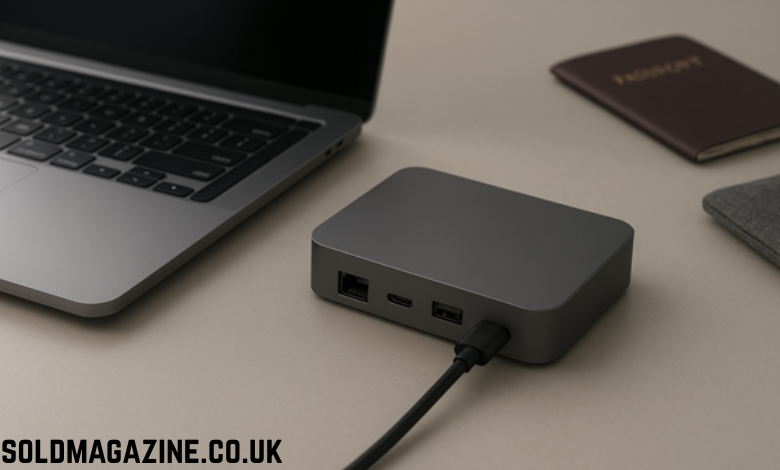
If you travel with a laptop, you know the pain. Hotel room TVs with the wrong ports, presentations that only accept HDMI, and that uneasy feeling at a cafe when you have to connect your mouse, keyboard, SSD and monitor, but there are only two USB-C ports on your beautiful ultrabook. That’s when a travel-friendly docking station or small station dock becomes an outright game-changer.
In this guide, we’ll cover exactly what to look for in a docking station under 1 kg, who it fits (students, hybrid workers, creators) and how it matches up against one of those full-size desk docks. By the end, you will have a sense of what sort of portable dock makes sense for your setup and suitcase.
Why you need a portable docking station
Today’s laptops are thinner and thinner, each new generation of them seeming to lose a port. This starts with Ethernet, but also eliminates HDMI and even full-size USB-A on some machines. A small docking station can turn a solitary USB-C or Thunderbolt port into a full desktop-style workspace including video, data and power all down one cable.
This is all the more important on the road than at home. A decent station dock turns your walk into a client office, Airbnb, or a classroom with an external display and power, into being at your normal desk. That means no begging for extra adapters while trying to connect to shared printers or projectors for students. For remote workers, that means not scouring a place for Wi-Fi when you could just plug into Ethernet and have stable video calls.
You also save wear on the ports of your laptop. Rather than repeated insertion and removal of devices from the laptops (in a home where several people use this) you have one docking station that takes the punishment while your laptop stays pristine in its bag.
What is a portable docking station weighing less than 1 kg?
“Under 1 kg” might seem like a lot, but in reality most travel-targeted docking stations weigh much less than that. Many 7–8 port USB-C hubs weigh less than 150 grams. At the high-end, travel docks are even smaller and weigh just over 80 grams while measuring about 7 centimeters across, but fit HDMI, DisplayPort, VGA, Ethernet, USB-A and USB-C ports in a puck-shaped dock.
So when we say “travel-friendly docking station under 1 kg,” what do we mean?
Slim line USB-C or Thunderbolt station docks that can slide into a laptop sleeve or tech pouch. Bus-powered gadgets that do not require their own cumbersome power-brick. Small enough to not make your backpack a cable jungle. If you can simply sling the dock in your bag and not actually think about it until you need it, then this is your category.
What to look for in a compact station dock
Actual ports to use on the road
Before you purchase any docking station, write down what you really plug in when on the road. What the essentials are to most regarding sex is.
- At least one HDMI or DisplayPort for an external monitor or hotel TV.
- Two or more USB-A ports for a mouse, keyboard or thumb drives.
- USB-C for your newer peripherals or speedy data.
- An SD or microSD card reader if you work with cameras or drones.
- Ethernet if you frequently work out of sketchy Wi-Fi-signal hotels or offices.
- Xdocking stations pack a few of them together in small spaces, so you don’t have to carry a separate HDMI adapter and card reader and USB hub.
Power delivery and charging
A travel-sized docking station is so much better if it has USB-C Power Delivery passthrough. That is, you plug your laptop charger into the dock and then one cable to your laptop provides power (and data). Now, for the majority of new-style laptops, you can:
- Minimum 65 W PD for ultrabooks and business laptops.
- 90-100 W PD if you have a beefier machine or enjoy the headroom.
- Some compact station docks pull this off with no trouble at all, so you’re still carrying one charger instead of adding in a separate brick for the dock.
Your laptop and OS compatibility
Check what your laptop supports:
- Having Thunderbolt 3 or 4 on your laptop means a dock can drive higher-resolution monitors, as well as faster storage.
- If you only have USB-C, a USB-C dock or station with DisplayPort over USB-C will usually deliver 4K at 60 Hz on at least one display.
- Most travel docks are driverless on Windows, macOS and many Linux distributions, so you won’t have to install extra software when you’re borrowing guest machines or working in labs that don’t allow additional programs.
Build quality and heat management
A thin, metal-body docking station can also double as a mini heatsink, helping to keep temperatures in check while you plug in multiple displays and juice up your laptop. Aluminum casings are more durable and dissipate heat better than flimsy plastic shells.
Focus on:
- A flexible, reinforced USB-C cable that won’t fray after being stashed in your bag.
- Ventilation or engineering that do not heat up after prolonged use.
- Smooth connectors that plug in without feeling loose or gritty.
Space-saving docking station picks for long-haul and frequent travelers
Instead of aiming to find one “best” docking station, consider use cases. Different kind of travelers have different station dock needs.
For students and cautious travelers: Minimalist USB-C hub
If you’re primarily reading, streaming, doing homework and sometimes giving presentations of slides, a slender USB-C hub should cut it. Seven-in-one or five-in-one hubs package HDMI, USB-A, SD/microSD, and Power Delivery inside a stick-shaped dock that weighs less than most phone chargers.
You dock the station into your laptop, plug in a charger, and you have all you need for basic productivity in classrooms, libraries and co-working spaces. This is the sweet spot for many students: light, reasonably priced, simple.
Multiport travel hubs for hybrid working
If most of your time is divided between home, office and the road, you might need a more accommodating station dock. A sleek puck-style hub, it offers HDMI, DisplayPort and VGA (for people rockin’ old-ass monitors like myself) as well as Ethernet, USB-A and USB-C all in a palm-sized package that also supports 4K 60 Hz video output and up to 90 W of passthrough power.
You might need a dock like this if you present in conference rooms with display inputs that use different types of cables, or if wired Ethernet is the only way to get reliable video calls. You remain just under the 1 kg mark, but get near-desktop flexibility in your carry-on.
Laptop stand docks for creators and power users
Other travel-friendly docking stations can also double as an ergonomic stand. The laptop stand dock collapses into a slim bar, incorporates an internal USB-C hub and weighs about 0.7 lb (318 g), light enough to carry daily but strong enough for big laptops.
This kind of station dock is right for photographers, video editors and coders who spend hours on a laptop and want additional ports as well as a more comfortable height for the screen. Cooling, ergonomics and connectivity all in a single accessory.
How to choose and pack your travel dock
Begin by making an IRL checklist. Consider your recent travels and when you wished you had one or two more ports or a cable. Did you want HDMI for a hotel TV? Ethernet for a spotty conference center? SD card access in the field? Purchase a docking station that addresses those specific issues, rather than seeking the highest port count.
Check and double-check everything at home, before setting out on a big trip. Plug in your intended peripherals and test-drive your travel setup: external monitor, keyboard, mouse, charger and external drive. If something is flickering, overheating or disconnecting, you want to find it next to your desk, not a moment’s notice before the deadline.
Lastly, stuff the station dock into a small tech pouch with short, good quality cables. You’ll only need a single compact HDMI cable and a flat Ethernet cable to make your dock into a proper mobile workstation without much additional weight.
Concluding thoughts: Should you get a smaller station dock?
If you have ever arrived in a new place, gotten out your laptop and then felt immediately stymied due to it having too few ports, a travel-friendly docking station that weighs less than 1 kg is definitely worth the money. It provides you with a portable, repeatable workspace that feels like home whether in a library study room, co-working desk or airport lounge.
“I would pick a dock or station that fits how you genuinely work, not the best spec sheet review fodder,” he said. Consider what ports you really use, the weight you’re willing to schlep, and how much reliability you want in a daily travel companion. You do that, and not only will your dock humbly pay for itself on those days you connect without battling a couple of cables and adapters (and yourself), but we’re betting it won’t take more than one or two weeks to recoup the cost in reclaiming all those lost productivity moments.
FAQs about travel-friendly docking stations
Can a travel docking station replace the full-size dock’s power?
For many users, yes. A travel docking station, when well-chosen can comfortably output one 4K monitor to also a handful of USB peripheral and laptop charging support. If you only use one external display and don’t need specialty-ports like line-in audio or daisy-chaining displays, a small form-factor dock is often all to the good. A premium desk dock could still have some value for a weighty multi-monitor setup.
Is there a docking station under 1 kg which can do dual external monitors?
Some travel docks can power two displays (if they connect via DisplayPort over USB-C or Thunderbolt, at least). But many ultra-portable hubs can only do a single video out, even if there are multiple video connectors. Always read the spec sheet carefully, and watch out for language that says downright whether two monitors are supported, or “extended mode” support.
Will the USB-C station dock work with my laptop charger?
Most likely, provided your charger and the docking station are compatible with your laptop’s required USB-C Power Delivery wattage. You plug the charger into the dock, the dock in your laptop and electricity is flowing. If you have a very power-hungry laptop, go for a station dock that lists plenty of PD wattage and maybe hang onto your original charger when push comes to shove.
Do I need to install drivers for a portable docking station?
Many contemporary USB-C and Thunderbolt docks are plug-and-play on Windows, macOS and a large number of Linux distros. Class of standard devices like network adapter, display and USB hub. Only specialty docks that use DisplayLink or the like typically require drivers, so look at your product details if you expect to use managed, restricted machines.
Is it a good idea to leave a docking station connected overnight when on the road?
As far as good quality docks from reputable companies, I would say that in most of these cases, it should be fine to leave the dock plug connected as long as it is well ventilated (I’ve never heard of one heating up to an extent where this would be a problem if not covered by blankets or even worse clothing). Like charging a laptop, they might get warm but shouldn’t become hot to the touch. While not nearly as important as with older devices, remember to unplug your docking station and charger when you’re out for extended periods in hotels of dubious wiring or surge protection.