Open the door at 8 a.m. and the tempo hits you. Advisors shuffle estimates, techs wait for green lights, a customer asks why yesterday’s number became today’s total. When invoices are stitched from paper slips, spreadsheets, and a basic POS, minutes vanish. Missed items, rekeyed notes, and late billing erode margin and trust. Invoicing is not clerical. It is the moment revenue becomes real.
This article shows you how to spot invoice friction, rebuild the path from estimate to payment, and use auto repair invoicing software to remove rework. Let’s get started.
The hidden cost of outdated invoicing
Manual, disconnected steps leak money in quiet ways that are easy to miss during a busy day. The evidence shows up at the counter and in month-end numbers.
- Missed charges. Handwritten notes, verbal add-ons, or parts added after the estimate never make it to the final bill.
- Inconsistent pricing. Labor times and shop fees shift by advisor, so two similar jobs land at two different totals.
- Slow cash collection. Invoices go out late or require phone calls to take payment, which drags on cash flow.
- Foggy reporting. Without clean data, you guess which jobs make money and which quietly erode profit.
Run the math. In a five-bay shop closing 25 to 30 ROs a day, an extra four minutes per invoice adds up to roughly two hours of non-billable admin work every day. Stretch that across a month and you lose multiple days that could be invested in billed labor, customer follow-ups, or marketing.
Growing shops cannot afford uncertainty in how revenue is captured and collected. Clean, consistent invoicing is not a nice-to-have. It is how you protect margin and momentum.
Clear signs your process needs a rethink
You do not need a formal audit to see the strain. Watch the day play out and these patterns surface.
- Double entry everywhere. Techs, parts managers, and advisors retype the same details into different tools.
- Regular customer pushback. Line items get questioned because the estimate and the invoice do not match.
- Payment delays as routine. Invoices sit until day end or week end and cards are keyed by hand.
- Reporting stitched from exports. Profit by job, advisor, or bay feels more like a guess than a metric.
- Ad hoc training. New hires copy “how we do it here” instead of following a simple invoice SOP.
Each small friction point multiplies as car count climbs. What felt like a nuisance at 200 ROs a month turns into a real drag at 600.
What modern invoicing really looks like
Modern invoicing is not a PDF copy of a paper ticket. It is a connected flow that runs from estimate to payment without extra typing.
- Estimate to invoice continuity: Approved estimates roll forward with parts, labor ops, and shop fees intact. No double entry.
- Real-time parts and labor tracking: Labor times, canned jobs, and parts pricing move from the RO into the invoice automatically, so nothing gets lost.
- Digital approvals: Customers review and approve on their phone. Fewer counter visits, fewer call-backs, faster decisions.
- Flexible payment options: Payment links, stored cards with consent, and partial payments speed up cash collection.
- Integrations that stick: Accounting, CRM, and marketing tools reflect the final invoice without manual syncs.
- Better customer experience: Clear, itemized, professional invoices reduce disputes and build trust.
This is where auto repair invoicing software earns its keep. The goal is not to pile on another tool. The goal is to tie the steps together so the same data powers estimates, ROs, invoices, payments, and reports.
How smarter invoicing strengthens the entire shop
When invoicing is connected and consistent, every department feels the lift.
- Technicians produce more. Less paperwork and fewer interruptions lead to more billed hours.
- Advisors resolve faster. Time shifts from reconciling totals to advising customers.
- Cash flow speeds up. Invoices go out on completion and customers pay from their phones.
- Pricing stays consistent. Canned jobs, matrices, and shop fees apply the same way every time.
- Disputes drop. Clear line items with notes and media make value visible.
- Reporting becomes useful. Margin by RO, advisor, and job category is available without three exports.
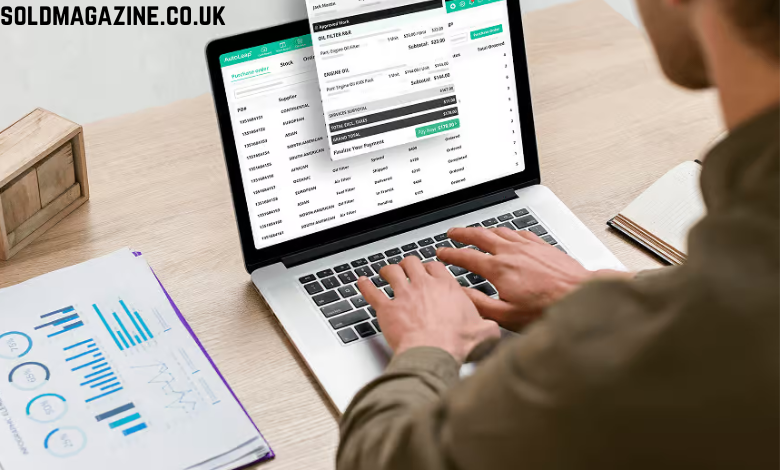
Systems like AutoLeap bring these elements into one workflow. The win is not a logo. It is less admin work and clearer revenue, delivered through auto repair invoicing software that unifies estimate, RO, invoice, payment, and reporting.
Build a better invoicing workflow in four steps
You can improve without tearing up your day. Fix the process first, then add tools.
- Map the path. From estimate to payment, list each step, the owner, and where data is retyped.
- Standardize the structure. Define labor ops, fees, taxes, and parts rules so advisors are not improvising.
- Choose software that fits. Prioritize estimate to invoice continuity, digital approvals, integrated payments, and accounting sync.
- Train with simple SOPs. Use short checklists and screen captures. Show how to convert estimates, attach media, apply fees, and send payment links.
- Set measurable targets. Examples: cut invoice prep time by half, send 90 percent of invoices within 10 minutes, collect same day on 80 percent of ROs.
- Review weekly. Track exceptions and questions. Tweak templates and canned jobs so the process keeps getting faster. Pilot with one advisor or one bay if the team is hesitant.
Frequently missed opportunities inside the invoice
A smarter invoice can also strengthen marketing and retention.
- Use clear decline codes and notes to make future recommendations easier to accept.
- Attach photos and short videos to justify labor time and premium parts.
- Offer good, better, best options so customers choose based on value, not guesswork.
- Trigger follow-ups by mileage or declined services for timely outreach.
- Keep tax and compliance accurate to avoid back-office pain at month end and during audits.
Each of these reduces back-and-forth and makes the next approval easier.
How to keep the process from slipping back
Momentum fades unless you protect it.
- Assign an owner for templates, canned jobs, and fee rules.
- Review one day of invoices each week for clarity, media, and unused fields.
- Refresh training when services change or pricing updates.
- Keep a short backlog of improvements and ship one fix per week.
Process beats heroics. Small, steady refinements create durable results.
To wrap it up
Outdated invoicing slows the whole shop. Tighten the flow, connect your tools, and give your team a faster path from estimate to payment. Start with templates and digital approvals. Add integrated payments next. Keep tuning. Clean billing creates calmer counters, happier customers, and growth you can measure.