Core Functionality and Purpose
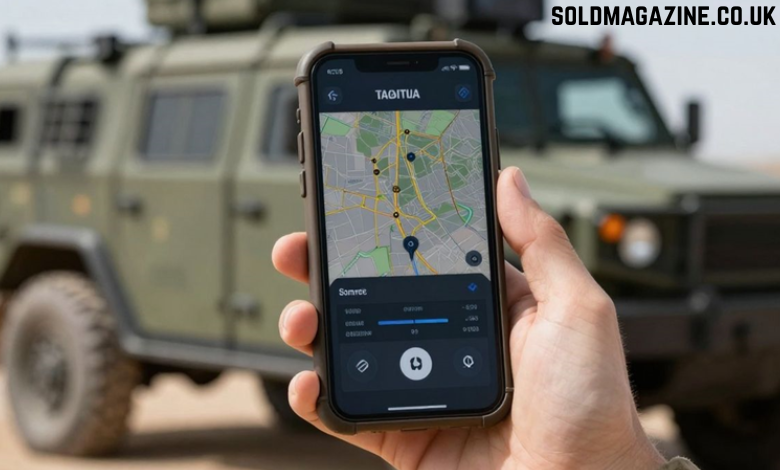
The Android Team Awareness Kit, often called ATAK, is a software platform built for teams working in the field. Think of it as a digital map that shows you where everyone is, what’s happening around them, and lets you talk to each other easily. It started with the military but has found its way into many other jobs where people need to work together and know what’s going on.
ATAK gives users a clear picture of their surroundings and team members. It uses GPS to show friendly forces on a map, which helps avoid confusion and makes coordinating movements much simpler. This real-time view is a big deal for anyone working in a dynamic situation. It’s not just about seeing dots; it’s about understanding the whole picture.
This tool helps different groups talk and share information, even if they normally use different systems. It’s designed to be straightforward, so people can pick it up and use it without a lot of fuss. The goal is to make teamwork smoother and safer.
Evolution from Military to Civilian Use
ATAK wasn’t always for everyone. It was first developed for U.S. Special Forces, tested over years in tough situations. The idea was to give soldiers a better way to see and communicate with their units. After proving its worth in combat, the government saw its potential for other areas.
Agencies like Homeland Security, law enforcement, and fire departments started to see how ATAK could help them. When big events happened, like natural disasters, ATAK was brought in to help coordinate the response. It turned out that the same features that helped soldiers could also help first responders work together better.
This shift shows how technology developed for one purpose can be adapted for many others. The core need for clear communication and awareness remains the same, whether you’re on a battlefield or in a disaster zone. ATAK bridges that gap.
Key Components of the TAK Ecosystem
ATAK is part of a bigger family of tools called the TAK ecosystem. The main part is ATAK itself, which runs on Android phones and tablets. This is what field operators use most.
Then there’s WinTAK, which is for computers, usually used at command centers. It gives a broader view of operations. There’s also iTAK for iPhones, though it’s newer. To make sure all these parts can share information, there’s the TAK Server. This acts like a central hub, syncing data and keeping everyone connected.
- ATAK (Android): For mobile field use.
- WinTAK (Windows): For desktop command and control.
- iTAK (iOS): For Apple mobile devices.
- TAK Server: For data synchronization and network backbone.
Together, these pieces create a system that can handle complex communication needs across different devices and locations. It’s a flexible setup designed for teamwork.
Enhancing Tactical Communication Capabilities
Real-Time Situational Awareness
In today’s fast-paced operational settings, knowing what’s happening right now is key. The Android Team Awareness Kit (ATAK) puts this information directly into the hands of team members. It shows friendly unit locations on a map, making coordination much simpler and safer. This real-time view helps teams move and react faster, reducing confusion and improving mission outcomes.
Seeing friendly dots move on the screen and marking enemy positions with a quick tap means communication is faster and more accurate.
Cross-Agency Collaboration
Modern missions often involve multiple groups working together. ATAK bridges these gaps. Agencies like Customs and Border Protection, the Coast Guard, and local law enforcement can all share a common operational picture. This shared view is especially useful during large events or complex operations where many different units need to coordinate effectively.
- Improved coordination during multi-agency exercises.
- Shared understanding of the operational environment.
- Faster response times through unified communication.
Secure Data and Media Sharing
ATAK allows teams to share photos and videos instantly and securely. This capability is incredibly useful for passing along critical information, like identifying a suspect or documenting a situation. The system handles this data transfer efficiently, making sure the right information gets to the right people without delay.
| Data Type | Sharing Method | Security Level | |
| Images | Direct upload via ATAK | Encrypted | |
| Video Clips | Real-time streaming or upload | Encrypted | |
| Text Messages | In-app chat | Encrypted |
Android Team Awareness Kit In Action
Disaster Response and Recovery Operations
When major disasters strike, coordinating a response across different agencies can be tough. The Android Team Awareness Kit (ATAK) really shines here. Think about Hurricane Harvey – ATAK helped connect folks from federal, state, and local groups. Instead of just radio chatter, everyone could see where help was needed and who was responding on a map. This made rescue efforts much smoother.
ATAK makes it possible for different teams, like firefighters and EMTs, to share information instantly. They can see each other’s locations, share photos of damage, or send quick text updates. This kind of real-time awareness is a game-changer when every second counts. The Android Team Awareness Kit helps bring order to chaos.
The ability to see all responding units on a single map, regardless of their agency, drastically cuts down on confusion and speeds up critical decision-making during chaotic events.
Law Enforcement and Public Safety Missions
Law enforcement agencies also find ATAK incredibly useful. During large events or manhunt situations, having a clear picture of where officers are and where suspects might be is vital. ATAK provides this, showing friendly forces and allowing for quick marking of points of interest or threats.
It’s not just about tracking; it’s about communication too. Officers can share evidence like photos or videos directly through the app, keeping everyone informed without needing separate radios or systems. This unified approach helps public safety teams work together more effectively.
- Real-time location tracking of all units.
- Secure sharing of photos and videos from the field.
- Quickly marking suspect locations or points of concern.
Counter-Unmanned Aerial Systems Operations
In the world of modern security, dealing with drones is a growing concern. The Android Team Awareness Kit can be integrated with specialized sensors to detect and track Unmanned Aerial Systems (UAS). This means that operators can see drone activity directly on their ATAK map.
When ATAK is paired with counter-drone technology, it provides a clear visual of the threat. Information about drone locations and flight paths can be shared instantly across teams. This allows for a coordinated response to neutralize the threat effectively.
| Feature | Benefit | |
| UAS Detection | Identifies drone presence in the operational area. | |
| Real-time Tracking | Shows drone movement on the ATAK map. | |
| Threat Visualization | Helps operators understand the situation quickly. | |
| Networked Data Sharing | Allows multiple units to see the same threat data. |
Leveraging Advanced Features of Android Team Awareness Kit
Mapping and Visualization Tools
ATAK brings sophisticated mapping right to your device. It’s not just about seeing dots on a map; it’s about understanding the whole picture. Think 3D maps, detailed terrain views, and real-time traffic overlays. This helps teams visualize the operational area like never before. The ability to place 3D points of interest adds another layer of detail for planning and execution. This makes the Android Team Awareness Kit a powerful tool for tactical awareness.
Sensor and Device Integration
What makes the Android Team Awareness Kit truly stand out is its ability to connect with other gear. Imagine pulling data directly from sensors, drones, or other devices right into your TAK interface. This means real-time intel from various sources can be seen by everyone on the team. It transforms individual devices into networked assets, sharing information automatically.
Integrating external sensors means the team gets a much clearer view of what’s happening on the ground, or in the air. This connected approach is key for modern operations.
Networked Operations and Data Sharing
ATAK is built for collaboration. It allows for secure data and media sharing, from simple text messages to photos and videos. This information can be sent to specific team members, groups, or the entire force. The system uses standard messages, so different units can share data easily, even if they use different equipment. This networked capability is a core strength of the Android Team Awareness Kit.
- Real-time location sharing
- Secure chat and file transfer
- Integration with TAK Server for broader network reach
Optimizing Team Performance with Android Team Awareness Kit
The Importance of Comprehensive Training
Getting the most out of the Android Team Awareness Kit (ATAK) isn’t just about having the software. It’s about knowing how to use it, really use it, when it counts. Think of it like a fancy tool; it’s only as good as the person wielding it. Proper training means everyone on the team understands its features, from basic map checks to sharing critical intel instantly. This shared knowledge builds confidence and reduces errors in high-pressure situations.
Effective training covers both the ‘how’ and the ‘why’ of ATAK. It moves beyond just button-pushing to understanding how ATAK fits into the bigger operational picture. This includes learning how to configure the app for specific missions, how to connect securely, and how to troubleshoot common issues. Without this foundation, even the most advanced features can go unused or be misused, hindering team effectiveness.
Here’s a quick look at what good training should cover:
- App Setup and Personalization: Getting the software ready for the field.
- Core Functions: Understanding how to view maps, track teammates, and send messages.
- Advanced Features: Utilizing tools for data sharing, route planning, and sensor integration.
- Troubleshooting: Quickly resolving issues that might arise during an operation.
Device Selection and Configuration
Choosing the right hardware is a big part of making ATAK work well. While it runs on many Android devices, some are built tougher and more secure, which is a big plus for field operations. Rugged devices can handle drops, weather, and rough handling better than a standard phone. Proper configuration is also key; this means setting up the device and the ATAK app securely, ensuring only authorized users can access sensitive information.
It’s not just about picking a tough phone. It’s about making sure that phone and the ATAK software work together smoothly. This includes setting up network connections, managing battery life, and ensuring the device’s sensors are properly integrated. A well-configured device means less downtime and more reliable performance when the team needs it most.
Consider these points for device setup:
- Device Durability: Selecting phones or tablets that can withstand harsh environments.
- Security Hardening: Implementing security protocols to protect data.
- Power Management: Optimizing battery usage for extended operations.
- Accessory Integration: Connecting external sensors or communication devices.
Ensuring Network Resiliency
ATAK thrives on connectivity, but tactical environments are often unpredictable. Network resiliency means having backup plans and understanding how to operate when primary communication channels fail. This could involve using different network types like satellite communication (SATCOM) or mesh networks (MANET), or even operating in a disconnected mode with pre-downloaded maps and data. The ability to maintain communication and share information, even in challenging conditions, is vital for team success.
When networks are spotty or unavailable, the team still needs to function. This is where understanding ATAK’s offline capabilities and how to sync data when connectivity is restored becomes critical. A resilient network strategy ensures that the flow of information, a core benefit of ATAK, is as uninterrupted as possible.
Key aspects of network resiliency include:
- Multiple Network Options: Utilizing LTE, SATCOM, and MANET radios.
- Offline Operations: Planning for scenarios with no connectivity.
- Data Synchronization: Efficiently updating information when connections are re-established.
- Network Monitoring: Keeping an eye on network status and performance.
The effectiveness of the Android Team Awareness Kit is directly tied to how well teams are trained, the devices they use, and their ability to maintain communication links. These elements work together to create a robust operational capability.
The Future of Tactical Communication with Android Team Awareness Kit
Adaptability and Open Architecture
The Android Team Awareness Kit (ATAK) is built for change. Its open architecture means new tech can be added easily. This flexibility is key for future tactical communication. Think of it like a toolbox that can always fit new tools. This means ATAK can keep up with new threats and new ways of working. The platform isn’t static; it grows. This adaptability is what makes the Android Team Awareness Kit so important for what’s next.
Expanding Integration Possibilities
Future tactical communication will involve even more devices talking to each other. ATAK is set up for this. It can connect with drones, sensors, and other gear. This means teams get a fuller picture of what’s happening. Imagine a drone spotting something, and that info instantly appearing on everyone’s ATAK screen. This kind of connection is what the future holds. The Android Team Awareness Kit is designed to be the hub for all this information.
Continuous Improvement and Development
ATAK isn’t a finished product. It’s always getting better. Developers are constantly adding new features and fixing old ones. This ongoing work means the system stays relevant. It’s about making sure teams have the best tools possible. The community around ATAK helps drive this improvement. This collaborative spirit ensures the platform evolves to meet new challenges. The future of tactical communication relies on systems like the Android Team Awareness Kit that are built to last and improve.
Looking Ahead
The Android Team Awareness Kit, or ATAK, has really changed how teams work together in tough situations. It lets everyone see what’s happening and talk to each other, no matter what agency they’re with. This makes coordinating efforts much smoother, whether it’s for big events or smaller, quick responses. As technology keeps moving forward, tools like ATAK will only get better, helping teams stay connected and aware when it matters most. It’s clear that having a shared view of the situation is a big deal for getting the job done right.