Automated Highlight Detection
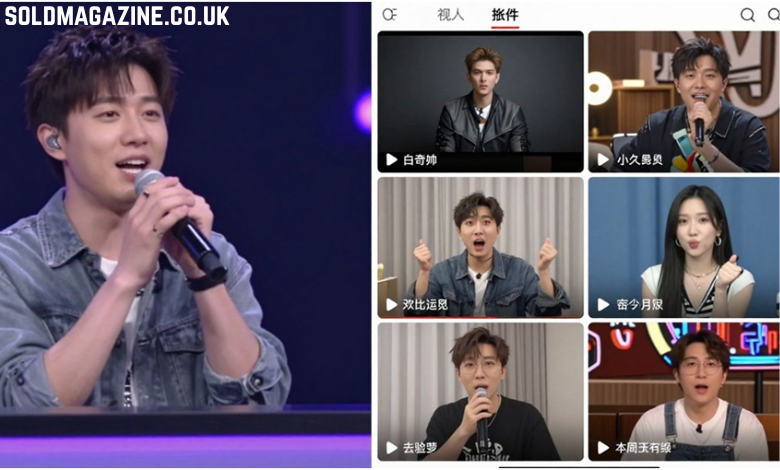
AI stream clipper tools are changing the game for content creators. Instead of manually sifting through hours of footage, these smart systems can automatically find the most exciting parts of a stream. They look for things like high energy, big reactions, or chat hype to pinpoint those moments that viewers love.
The core of this technology lies in its ability to analyze video and audio data in real-time. It’s like having a super-fast editor watching your stream with you, but one that never misses a beat. This automated highlight detection is a huge step forward for anyone producing video content.
This technology makes it possible to go from a long stream to a collection of shareable clips much faster than before. It’s a real game-changer for keeping up with the demand for short-form content.
Streamlined Content Creation Workflow
Using an AI stream clipper really simplifies how creators make content. The whole process becomes much smoother. You link your stream, the AI does its thing finding the best bits, and then you can easily edit and share those clips. It cuts out a lot of the tedious work that used to be part of the job.
This streamlined workflow means creators can produce more content with less effort. Think about it: instead of spending hours editing, you might only need a few minutes. This frees up time for other important tasks, like interacting with your audience or planning future streams.
It’s a big help for keeping up with platforms that favor short, engaging videos. The AI stream clipper makes sure you have a steady supply of material.
Faster Than Traditional Editing
When you compare AI stream clipping to old-school editing methods, the difference is huge. Manually reviewing hours of video to find a few good moments is incredibly time-consuming. An AI can do this analysis in a fraction of the time, often in minutes rather than hours.
This speed advantage is critical in today’s fast-paced online world. Content needs to be fresh and engaging, and waiting days for clips to be ready just doesn’t cut it anymore. AI stream clipper tools get you those highlights out quickly.
The speed at which AI can process and identify key moments is revolutionary for content creators. It allows for a much more agile and responsive content strategy.
This rapid turnaround means creators can react to trends and audience interest much faster, keeping their content relevant and their viewers engaged.
Transforming Long Streams into Shareable Content
Capturing Epic Moments Automatically
Livestreams are often goldmines of spontaneous, exciting, or funny moments. Without help, these gems can get lost in hours of footage. AI stream clipping tools change this by automatically finding and isolating these key segments. They analyze video and audio cues, like sudden shifts in energy or audience reactions, to pinpoint the most engaging parts. This means creators don’t have to rewatch entire streams to find the best bits. The AI stream clipper does the heavy lifting, identifying everything from epic gameplay wins to hilarious fails that viewers will love. This automated detection ensures no memorable moment goes unnoticed.
Converting Streams for Social Media Platforms
Once those highlight moments are identified, the next step is making them ready for platforms like TikTok, YouTube Shorts, and Instagram Reels. These platforms thrive on short, punchy videos. AI tools can automatically format the captured clips into the vertical aspect ratios preferred by these social media sites. They can also trim them to the ideal length, often under 60 seconds. This makes it incredibly simple for creators to take content directly from a long stream and prepare it for immediate sharing. The goal is to turn raw stream data into polished, social-ready content with minimal effort.
Enhancing Viewer Engagement
Shareable clips are powerful tools for keeping audiences interested and attracting new viewers. By regularly posting highlights, creators can give people a taste of their live content without requiring them to watch the full stream. This is especially useful for people who missed the live broadcast or want a quick recap. These short, impactful clips can spark conversations in comment sections and encourage people to tune into future live sessions. An effective AI stream clipper helps maintain a consistent presence across multiple platforms, keeping the community engaged and growing the creator’s overall reach.
Key Features of AI Stream Clipping Tools
Real-Time Clipping Capabilities
AI stream clipping tools are built to catch those fleeting moments as they happen. Instead of waiting until after a stream to sift through hours of footage, these tools can identify and save highlights in real-time. This means that as soon as a big play or a funny interaction occurs, the AI can be triggered to capture it. This immediate capture is a game-changer for streamers who want to share content while the excitement is still fresh. It’s like having an extra editor working live, but without the extra person.
This real-time clipping feature is often activated by simple voice commands, like saying. The ability to grab clips instantly means fewer missed opportunities and more dynamic content being generated on the fly. It’s a core function that sets these tools apart from manual editing processes.
Support for Multiple Streaming Platforms
Streamers often broadcast across various platforms, and their audience might be spread out too. Good AI stream clipping tools understand this. They are designed to connect with and pull VODs (Video On Demand) from major streaming services like Twitch, YouTube, and Facebook Gaming. This broad compatibility means creators don’t have to worry about manually downloading or transferring their stream archives.
The tool works in the background, accessing your past broadcasts. This makes the process of finding and clipping highlights incredibly convenient. You link your account once, and the AI does the heavy lifting, scanning your content for those shareable moments. It’s about making the content creation workflow as smooth as possible, regardless of where you stream.
Automated Title and Caption Generation
Once a clip is captured, the work isn’t entirely done. To make it ready for social media, it needs a catchy title and relevant captions or subtitles. AI stream clipping tools often include features that automate this part of the process. They can analyze the content of the clip and suggest titles that are engaging and descriptive. This saves a significant amount of time that would otherwise be spent brainstorming and writing.
Furthermore, many tools can automatically generate subtitles or captions. This is vital for accessibility and for viewers who watch videos with the sound off, which is common on platforms like TikTok and Instagram Reels. The AI analyzes the audio and transcribes it, creating text overlays that make the clip understandable and more engaging for a wider audience. This automated approach to titling and captioning is a huge time-saver.
The Benefits of Using an AI Stream Clipper
Saving Time and Effort
Long streams can be a goldmine of content, but manually sifting through hours of footage to find the best moments is a huge time sink. AI stream clippers change this. They automatically identify exciting parts of a stream, like epic plays or funny interactions, cutting down the editing process significantly. This means creators spend less time on tedious tasks and more time actually creating. The speed at which these tools work is a game-changer.
Think about it: instead of spending hours editing, an AI stream clipper can generate multiple highlight clips in a fraction of the time. This efficiency is key for streamers who want to keep their audience engaged across different platforms without burning out. The time saved is directly reinvested into producing more content or engaging with their community.
This automation frees up valuable energy. Creators can focus on what they do best – streaming and entertaining – rather than getting bogged down in post-production. It’s about working smarter, not harder, and getting those shareable moments out there faster.
Increasing Content Output
With the time and effort saved, creators can dramatically increase their content output. Instead of just one or two highlight videos a week, an AI stream clipper allows for a steady stream of short, engaging clips. These can be tailored for platforms like TikTok, YouTube Shorts, and Instagram Reels, reaching a wider audience.
This consistent output is vital for maintaining audience interest and growing a channel. When viewers see fresh content regularly, they are more likely to stay subscribed and engaged. The AI stream clipper acts as a content multiplier, turning one long stream into many bite-sized pieces of shareable content.
The ability to quickly clip, save, edit, and manage clips has been insanely helpful for productivity. This allows for a consistent flow of content that keeps the audience coming back for more.
Growing Your Audience Reach
By producing more content more efficiently, creators naturally expand their reach. Shorter clips are perfect for social media algorithms, which often favor easily digestible content. This means more people discover the streamer’s content, even if they didn’t watch the original long stream.
An AI stream clipper helps bridge the gap between long-form streaming and short-form social media. It ensures that the most exciting and entertaining moments from a stream are captured and presented in a format that’s ideal for discovery. This strategic approach to content repurposing is a powerful way to attract new viewers and grow a dedicated fanbase.
Here’s how it helps:
- Platform Optimization: Clips are automatically formatted for platforms like TikTok, Reels, and Shorts.
- Increased Discoverability: Short, engaging content is favored by social media algorithms.
- Broader Appeal: Reaches viewers who prefer quick highlights over full streams.
- Consistent Engagement: Regular content keeps existing followers interested and encourages shares.
Integrating AI Stream Clippers into Your Strategy
Seamless Workflow Integration
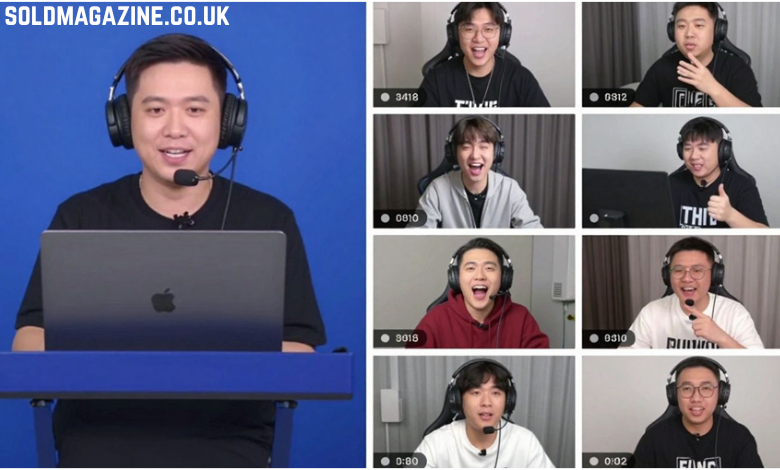
Adding an AI stream clipper tool to your content plan doesn’t have to be complicated. Many of these tools connect directly to your streaming platforms, like Twitch or YouTube. This means your past broadcasts, or VODs, are automatically available for the AI to analyze. You don’t need to manually download or upload anything, which saves a lot of hassle. The goal is to make the process feel like a natural extension of your streaming, not an extra chore.
Think of it like this: you stream, the AI watches, and then it presents you with potential highlight clips. You then pick the best ones, maybe tweak them a bit, and share them. This streamlined content creation workflow means less time spent digging through hours of footage and more time actually creating. It’s about making the technology work for you, so you can focus on what you do best – entertaining your audience.
The key is to find a tool that fits easily into your existing setup. If it requires a lot of technical setup or disrupts your streaming flow, it’s probably not the right fit. The best AI stream clippers are designed to be user-friendly, letting you connect your accounts and start clipping with minimal fuss. This makes the whole process much smoother.
Maximizing Content Repurposing
AI stream clippers are fantastic for getting more mileage out of your existing content. Instead of just having one long stream that people might miss, you can break it down into many smaller, shareable clips. These clips are perfect for platforms like TikTok, Instagram Reels, or YouTube Shorts. This means your content can reach new audiences who might not watch full streams but enjoy short, engaging videos.
This approach to content repurposing is a game-changer for streamers. You’re essentially creating multiple pieces of content from a single stream session. The AI helps identify the most exciting or funny moments, which are usually the ones that perform best on social media. It takes the guesswork out of deciding what to clip, letting you focus on distributing that content effectively.
The ability to quickly clip, save, edit, and manage your clips has been incredibly helpful for productivity. It turns a time-consuming task into something manageable, allowing creators to consistently put out content across different platforms without feeling overwhelmed.
Focusing on Content Creation
Ultimately, the biggest advantage of using an AI stream clipper is that it frees up your time. Instead of spending hours editing, you can spend that time planning your next stream, interacting with your community, or developing new content ideas. The AI handles the heavy lifting of identifying and preparing highlight clips, so you can get back to the creative side of things.
This shift in focus is important for growth. When you’re not bogged down by post-production tasks, you have more energy and mental space to improve your streams, engage with viewers, and build your brand. The AI stream clipper acts as a powerful assistant, allowing you to concentrate on creating the best possible content for your audience.
It’s about working smarter, not harder. By automating the clipping process, you can significantly increase your content output without sacrificing quality or burning yourself out. This allows for a more sustainable and enjoyable streaming career, where the focus remains on the passion for creating and sharing.
Choosing the Right AI Stream Clipper
Evaluating AI Detection Accuracy
When looking for an AI stream clipper, the first thing to check is how well it actually finds the good parts of your stream. Some tools are better than others at spotting those exciting moments, like big plays in games or funny interactions. You want a tool that doesn’t miss the action but also doesn’t create too many clips of boring bits. Testing out a few different options with your own stream footage is a smart move.
It’s also worth seeing if the tool supports the games or content types you usually stream. A tool that’s great for fast-paced shooters might not be as good with slower strategy games. Look for information on what kind of content the AI is trained on. This will help you pick an AI stream clipper that fits your specific needs.
The accuracy of the AI’s detection directly impacts how much time you save. If it’s constantly flagging the wrong moments, you’ll spend more time fixing its mistakes than you would have editing manually.
Considering Platform Compatibility
Think about where you stream and where you want to share your clips. Does the AI stream clipper connect easily with platforms like Twitch, YouTube, or Kick? You don’t want to have to jump through a lot of hoops just to get your stream data into the clipping tool. Some tools work directly with your stream link, which is super convenient.
Also, consider the output formats. If you plan to post clips on TikTok, Instagram Reels, or YouTube Shorts, make sure the tool can easily convert your highlights into vertical video formats. A good AI stream clipper should make sharing as easy as possible.
- Twitch integration
- YouTube compatibility
- Kick support
- Direct sharing to social media
Assessing Editing and Sharing Options
Even the best AI stream clipper might need a little tweaking. Check if the tool offers basic editing features. Can you trim clips, add text, or adjust audio easily? While the AI does the heavy lifting, having some control over the final product is important.
Finally, think about how easy it is to share the clips once they’re ready. Does the tool let you download clips in different formats? Can you directly upload them to your social media accounts? The goal is to streamline the entire process from stream to share. An efficient AI stream clipper should simplify this workflow significantly.
The Future is Clipped
So, there you have it. These AI stream clippers are changing the game for content creators. Instead of spending hours sifting through long videos, they can now automatically pull out the best bits. This means more time making cool stuff and less time on tedious editing. It’s a big help for anyone trying to grow their audience on platforms like TikTok or YouTube Shorts without a huge team. Basically, if you stream, you should probably be looking into these tools. They make turning those long sessions into quick, shareable moments way easier than before.