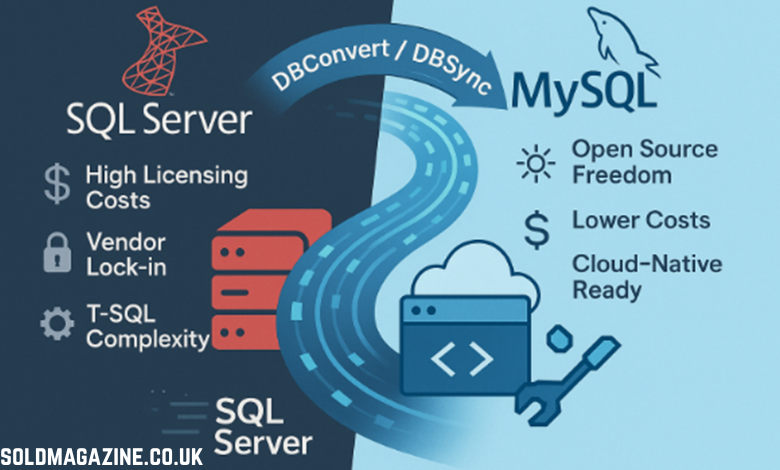
Choosing a solution to convert MS SQL to MySQL is more than just “pick a tool and run it” — it involves understanding technical trade-offs, data semantics, business risk, and your long-term architecture goals. Here’s a comprehensive, narrative-style guide to help you think through what matters, along with tool-recommendations — and how to validate your migration. (If you prefer a more checklist-oriented guide, I can also do that.)
Why and What You’re Migrating
Imagine you’re the protagonist in a small company: your legacy MS SQL Server has served you well, but now you want to migrate to MySQL — maybe for cost savings, open-source flexibility, or to align with cloud-native architectures. Before rushing into a conversion, you pause and ask: what exactly am I moving?
- Schema vs. data vs. code logic: You might need to move only tables and data, or also stored procedures, functions, triggers, views, and business logic embedded in the database.
- One-time migration vs. ongoing sync: Is this a “lift-and-shift” to decommission the SQL Server, or do you want to keep both systems in sync (e.g., for a gradual cutover)?
- Scale and criticality: How big is your database? How many tables, how many rows? Are there mission-critical queries that must continue working “exactly” as before?
These decisions shape how you pick your converter.
Key Technical Considerations When Choosing a Converter
Here’s where things can get tricky. MS SQL Server and MySQL differ in their dialect, data types, transactional behavior, and more.
Datatypecompatibility
- Some SQL Server types don’t map cleanly to MySQL. For example, DATETIMEOFFSET or SQL_VARIANT don’t have direct equivalents in MySQL
- Good converters let you define or tweak custom type mappings.
- An example mapping: SQL Server money → MySQL DECIMAL(18,2)
SQL dialectdifferences
- T-SQL (SQL Server) has syntax and constructs that MySQL doesn’t support (or handles differently). For instance, TOP N in SQL Server vs LIMIT in MySQL.
- Features like MERGE, certain built-in functions, or control-flow constructs may need emulation. AWS’s Schema Conversion Tool (SCT) knows how to simulateMERGE (via INSERT … ON DUPLICATE KEY etc.)
- Stored procedures, triggers, and other procedural logic often need manual attention or a converter that supports T-SQL → MySQL procedural translation.
Character sets, collation, and text semantics
- If your SQL Server database uses specific collations (for example, for internationalization), you need to ensure that the converter respects or properly maps them, or you risk data corruption.
- Unicode or binary data types might need special handling.
Performanceandscale
- For large datasets, you need a converter that can parallelize, stream efficiently, or do bulk loads.
- If you’re doing a live migration or minimal downtime, you might want CDC (change data capture) support, so that after the initial load you can stream changes into MySQL.
Reliability and validation
- After conversion, you’ll need to validate data integrity (row counts, checksums) and schema correctness (columns, constraints, indexes).
- Also, performance testing is essential. Some converted queries might run slower in MySQL, so you’ll want to benchmark.
Securityandaccess
- The tool must support secure connections to both source (SQL Server) and target (MySQL).
- For incremental or continuous replication, managing credentials, permissions, and access becomes critical.
Tooling model
- GUI-based tools vs. command-line vs. code-based (ETL/ELT) — each has pros and cons.
- Do you have DBAs who prefer a wizard? Or data engineers who want to script things?
Cost and licensing
- Some tools are free/open-source, others are commercial.
- You should weigh the cost of the converter against the labor (manual fixes, validation) you’ll incur.
Major Migration Tool
Let’s walk through different categories of converters / migration tools, and when each makes sense.
MySQL Workbench: The built-in Migration Wizard is very approachable, especially for schema + data. It uses ODBC to connect to SQL Server.
Pros: Free, visual, easy to review and tweak generated SQL.
Cons: Less ideal for huge datasets, stored procedures may need hand-tweaking, limited automation / scheduling.
MSSQL-to-MySQL by Intelligent Converters: easy-to-use wizard style tool for schema and data migration. GUI-based yes provides CLI, works on Windows.
Pros: migrates table definitions (DDL), indexes, foreign keys, and views. Supports spatial data (geography types) — not all converters do.Options to export to a MySQL dump file: useful if you don’t have a live MySQL connection or want to script / stage the import.No need for ODBC or “other middleware” — reducing dependencies, improving speed and reliability.
Cons: Doesn’t convert T-SQL code, commercial license with price starting from $79.
Airbyte: Open-source data integration platform working as pipeline-style ETL tool, supports MS SQL Server as a source and MySQL as adestination.Supports incremental sync and CDC (change data capture).
Pros: Great for ongoing replication, large-scale data movement, and data engineering teams. Can schedule syncs, handle schema evolution, build pipelines.
Cons: Doesn’t do schema translation (it copies data, but schema mismatches must be handled), may require infrastructure to run Airbyte, and setup for CDC.
AWS Schema Conversion Tool (SCT): Ideal when migrating to MySQL-compatible engines (MySQL / Aurora) on AWS. It assesses schema compatibility, does conversions, and reports on incompatible elements.
Pros: Deep analysis, automation, integration with AWS DMS; handles complex scenarios like schema name transformations.
Cons: Tied to AWS (best fit if your target is in AWS), learning curve, and some converted logic may still need manual adjustment.
Matching Tool to Your Use Case (Narrative Scenarios)
Let’s walk through a few “mini-stories” to illustrate how to choose a tool based on your situation.
One-Time Migration, Medium-Size Database, Low Procedural Logic
You have a 30–40 GB SQL Server database, mostly tables and some views, but no heavy T-SQL stored procedures. You just want to lift and shift to MySQL, decommission SQL Server, minimize cost.
- Best tool: MySQL Workbench Migration Wizard.
- Why: It’s free, relatively easy to use, gives GUI control, and works for schema + data.
- Risk and mitigation: You should manually validate data, run row counts, and check a few views. Also, test MySQL performance on critical queries.
Large Enterprise DB with Stored Procedures and Custom Logic
Your SQL Server is integral to business operations, with complex stored procedures, triggers, and business logic written in T-SQL. Migrationmistakescouldbreakproduction.
- Best tools:MSSQL-to-MySQL + MSSQL-to-MySQLCode Converter by Intelligent Converters.
- Why: It supports conversion of stored procedures, triggers, and views; gives you command-line control; and allows high-performance data movement.
- Risk and mitigation: Post-conversion, you’ll need thorough manual review of generated code, deep testing, and probably performance tuning in MySQL.
Ongoing Sync / Hybrid Architecture
You don’t want to cut over all at once. You’d like to keep your SQL Server as the primary, but replicate data into MySQL for analytics or as a future target.
- Besttool:Airbyte.
- Why: It supports incremental and CDC sync from MSSQL to MySQL. You can set up regular jobs, or near-real-time replication.
- Risk and mitigation: You still need to handle schema differences manually. Also, for production reliability, make sure to set up monitoring, alerting, and test schema evolution.
Cloud Migration to AWS MySQL / Aurora
Your long-term plan is to run MySQL (or Aurora) on AWS. You want a tool that helps assess compatibility and generate conversion scripts.
- Best tool: AWS Schema Conversion Tool + AWS DMS.
- Why: SCT helps you analyze schema compatibility, convert schema and code, and integrate with DMS for data replication.
- Risk and mitigation: Some procedural code may not convert perfectly; review, rework, and then cut over in controlled stages.
Common Pitfalls and Risks
Some things often trip people up and this section contains the most popular of them.
Incorrect type mapping: If a converter maps a SQL Server type to something that truncates data in MySQL, you may lose data fidelity.
Procedural logic loss: Converters may misinterpret or drop parts of stored procedures or triggers. Users on forums often note that they had to rewrite parts manually.
Collation issues: Not handling character set / collation mismatches can corrupt text.
Downtime underestimation: People often underestimate how long cutover and testing will take.
Performance regression: Queries may run slower in MySQL unless optimized.
Ongoing sync complexity: Maintaining both systems in sync is non-trivial; CDC tools introduce complexity.